
Pick up free agents as a captain
Use this guide to add available free agents to your team before a team event starts.
You must already be assigned as a captain for your team. If you do not see the Captains tab or your team name, contact your event host.
If you still need to set up your account, start with Create your player account and claim your profile.
Open the event page.
Go to Player Hub > Captains.
Select your team name.
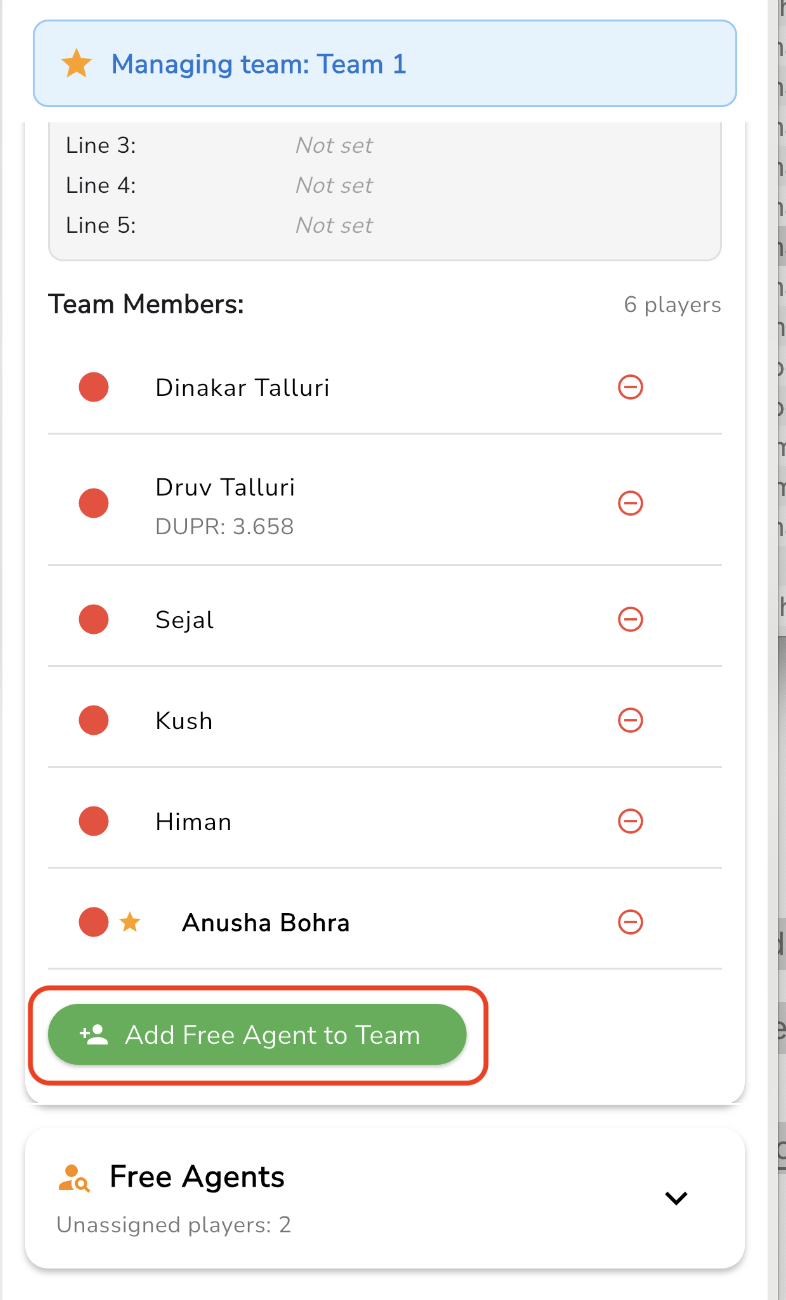
Scroll to the free agent section.
Select Add Free Agent to Team.
Choose the player you want to add.
Available free agents appear as players register for the event. If no players are listed, there may not be any open free agents yet.
After your roster is set, see Set your captain lineup.
Was this helpful?
Was this helpful?