
Enable API access in CourtReserve
Enable API access in CourtReserve before you connect the integration in Good Game Sports. This gives you the API username and password needed for the connection.
You need CourtReserve admin access and a CourtReserve Scale or Enterprise plan.
Enable API access
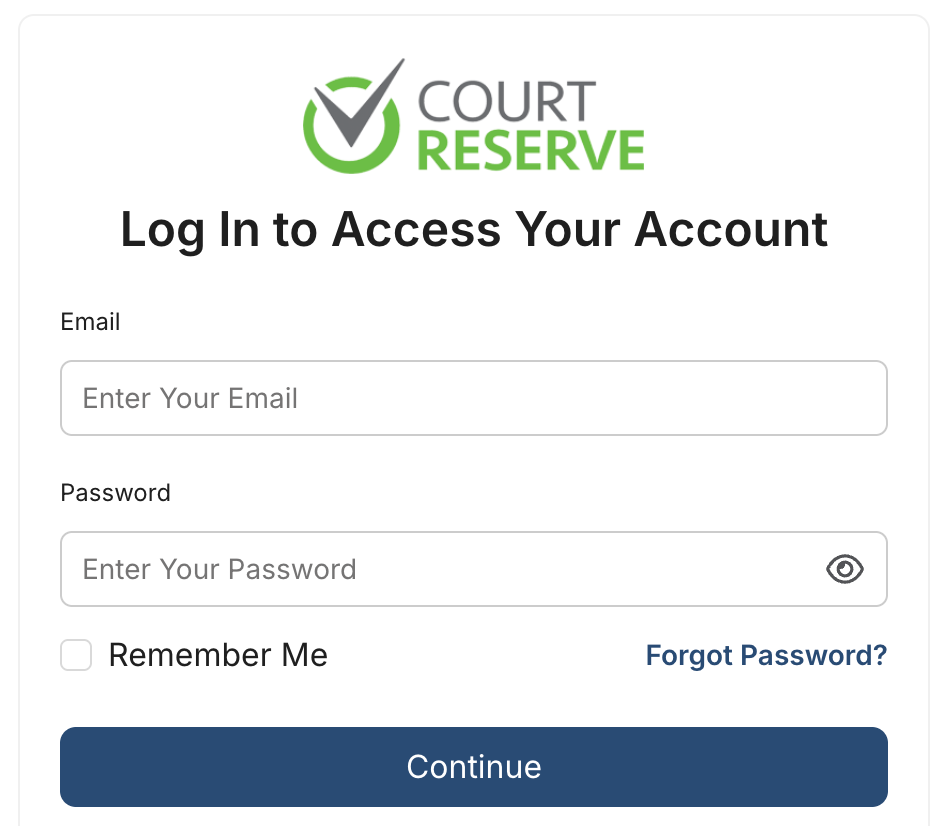
Sign in to your CourtReserve admin dashboard
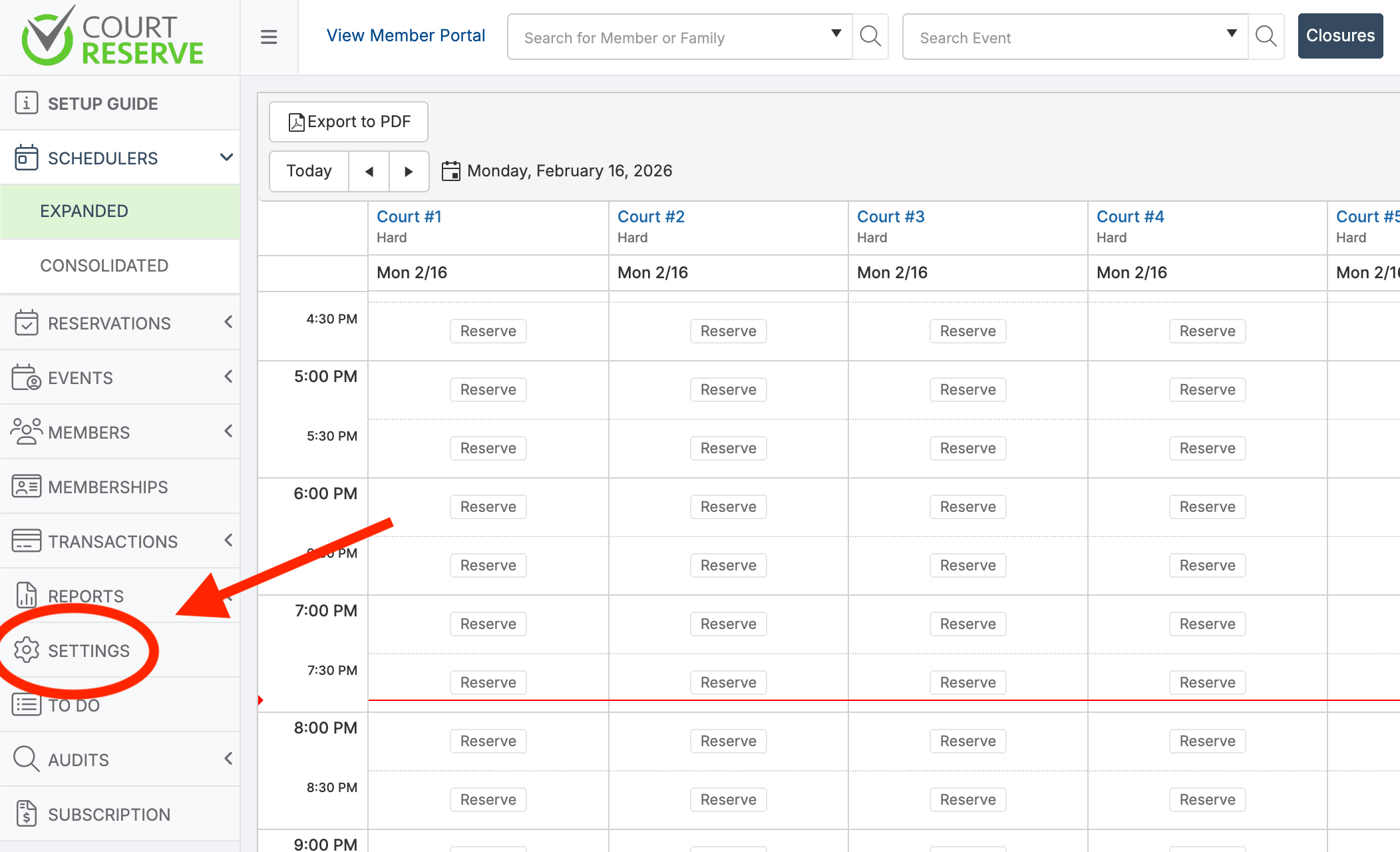
Open Settings from the left sidebar.
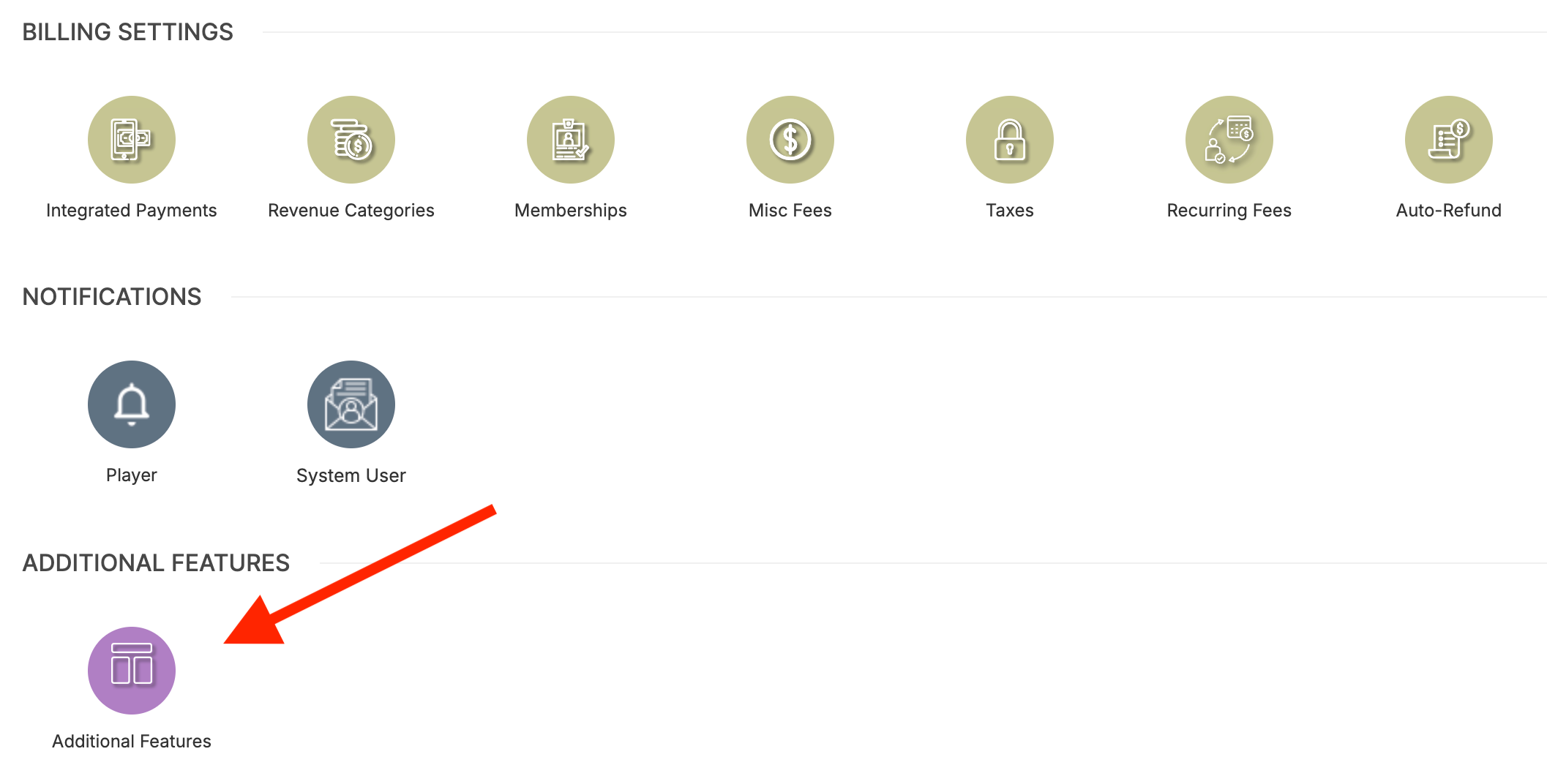
Scroll to Additional Features.
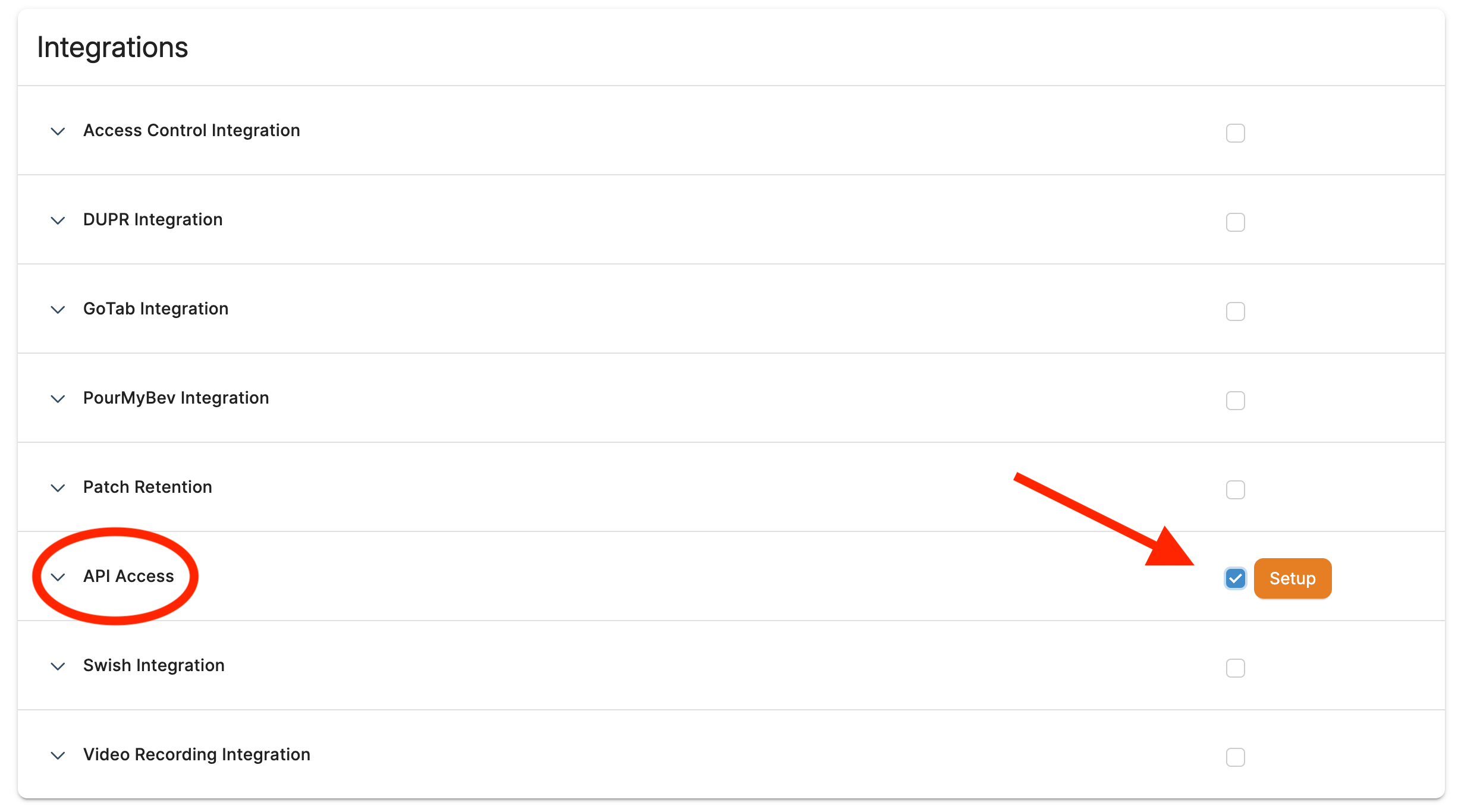
Under Integrations, enable API Access and click Setup.
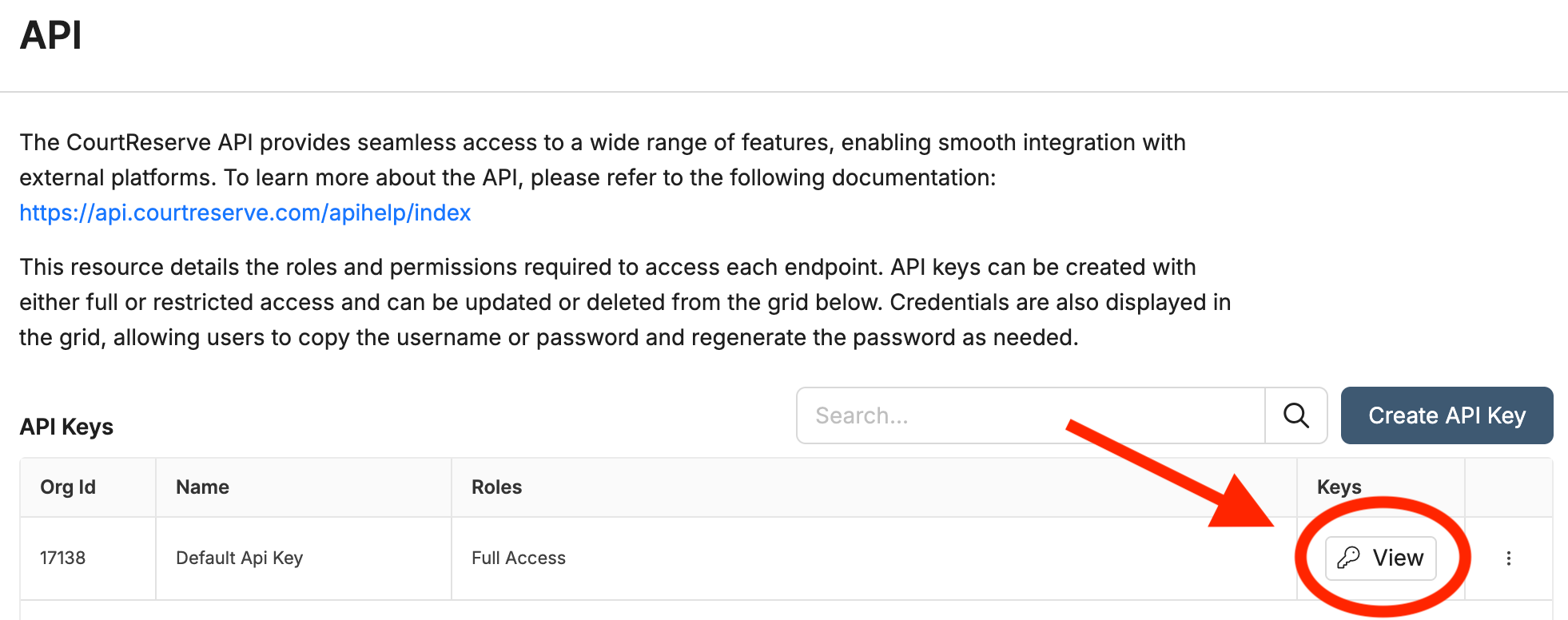
Click View to open your API credentials.
Copy the API Username and API Password.
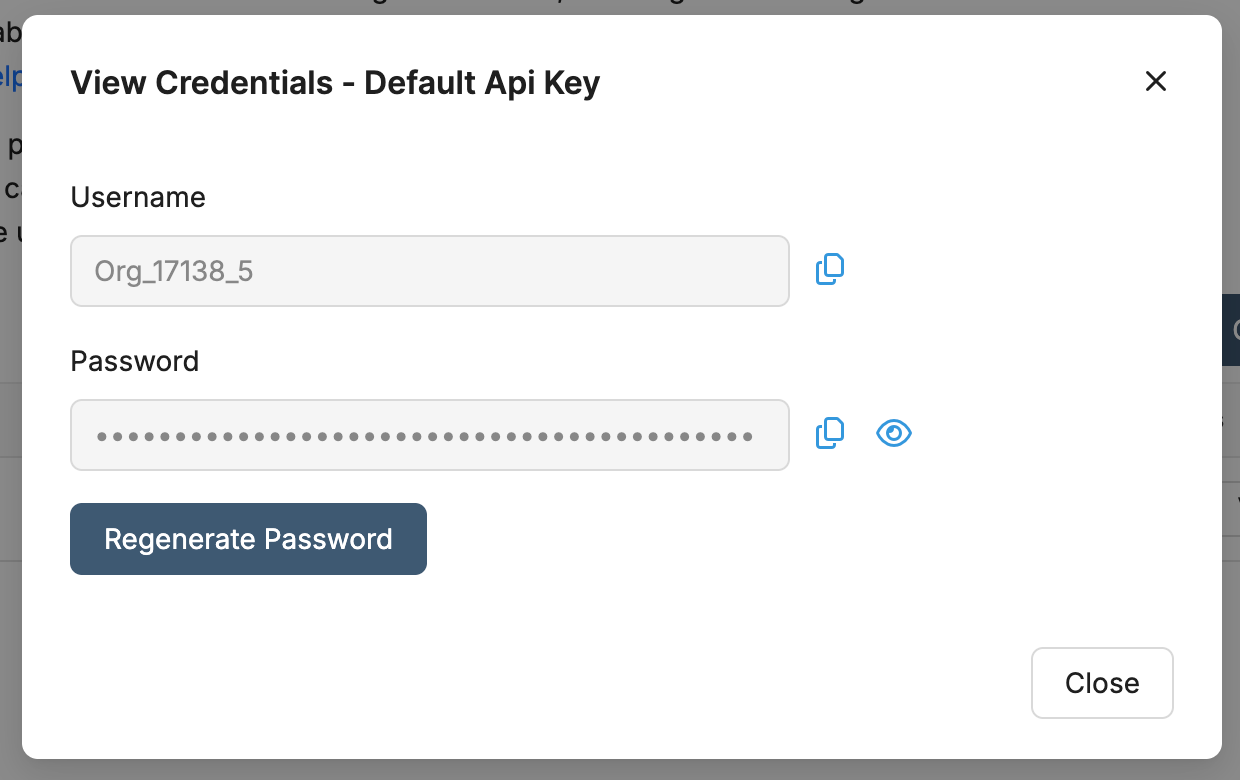
These are not your normal CourtReserve login credentials.
What to do next
After you copy the credentials, create your linked event in Create a Good Game Sports event from a CourtReserve event. If your club still needs payment setup, finish Connect Stripe before opening paid registration.